Loading…
24" Full HD (1920×1080) vs 27" QHD (2560×1440)
Last updated: February 13, 2026
Overview
24" Full HD vs 27" QHD: size and resolution comparison for desktop use.
Verdict
24" 1080p is compact and affordable; pixel density is fine for general use. 27" 1440p gives you more screen real estate and a bit more sharpness. Use 24" 1080p for small desks or dual-setup side monitors; use 27" 1440p as a main display when you want more space without 4K scaling.
Physical Size Comparison
Relative physical size of each display at scale (same units as your selection).
24" Full HD (1920×1080)
27" QHD (2560×1440)
24" Full HD (1920×1080)
in
DIAG24.0 in
W×H20.9 × 11.8 in
cm
DIAG61.0 cm
W×H53.1 × 29.9 cm
27" QHD (2560×1440)
in
DIAG27.0 in
W×H23.5 × 13.2 in
cm
DIAG68.6 cm
W×H59.8 × 33.6 cm
Pixel Workspace Comparison
Effective pixel workspace with 1x/2x scaling. Shows how much logical space you get on each display.
24" Full HD (1920×1080)
27" QHD (2560×1440)
24" Full HD (1920×1080)
NATIVE1,920 × 1,080
WORKSPACE1,920 × 1,080
PPI92
ScalingNormal
27" QHD (2560×1440)
NATIVE2,560 × 1,440
WORKSPACE2,560 × 1,440
PPI109
ScalingNormal
Content Rendering Comparison
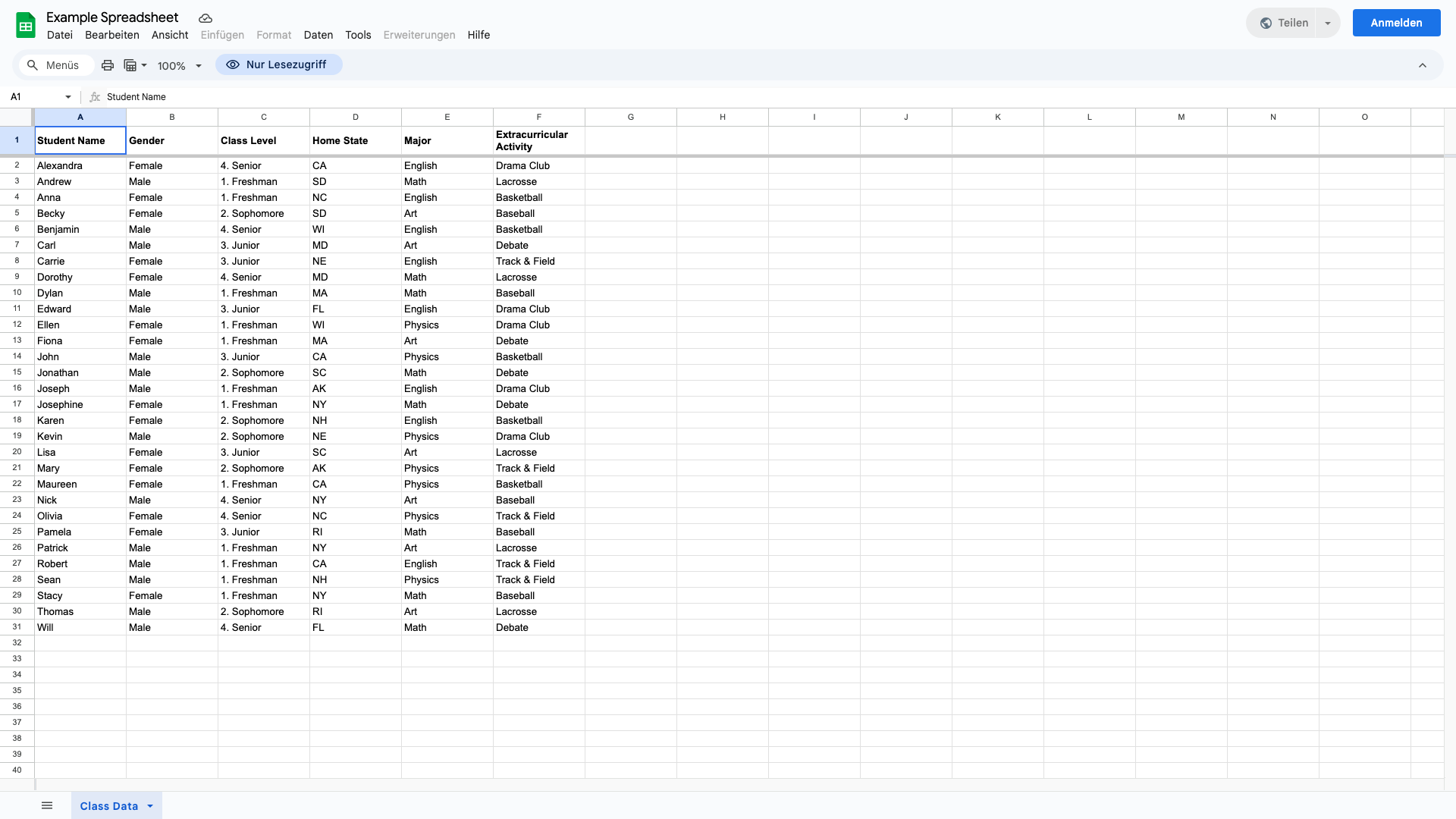
1920×1080
24" Full HD (1920×1080)
Screenshot: 1080p
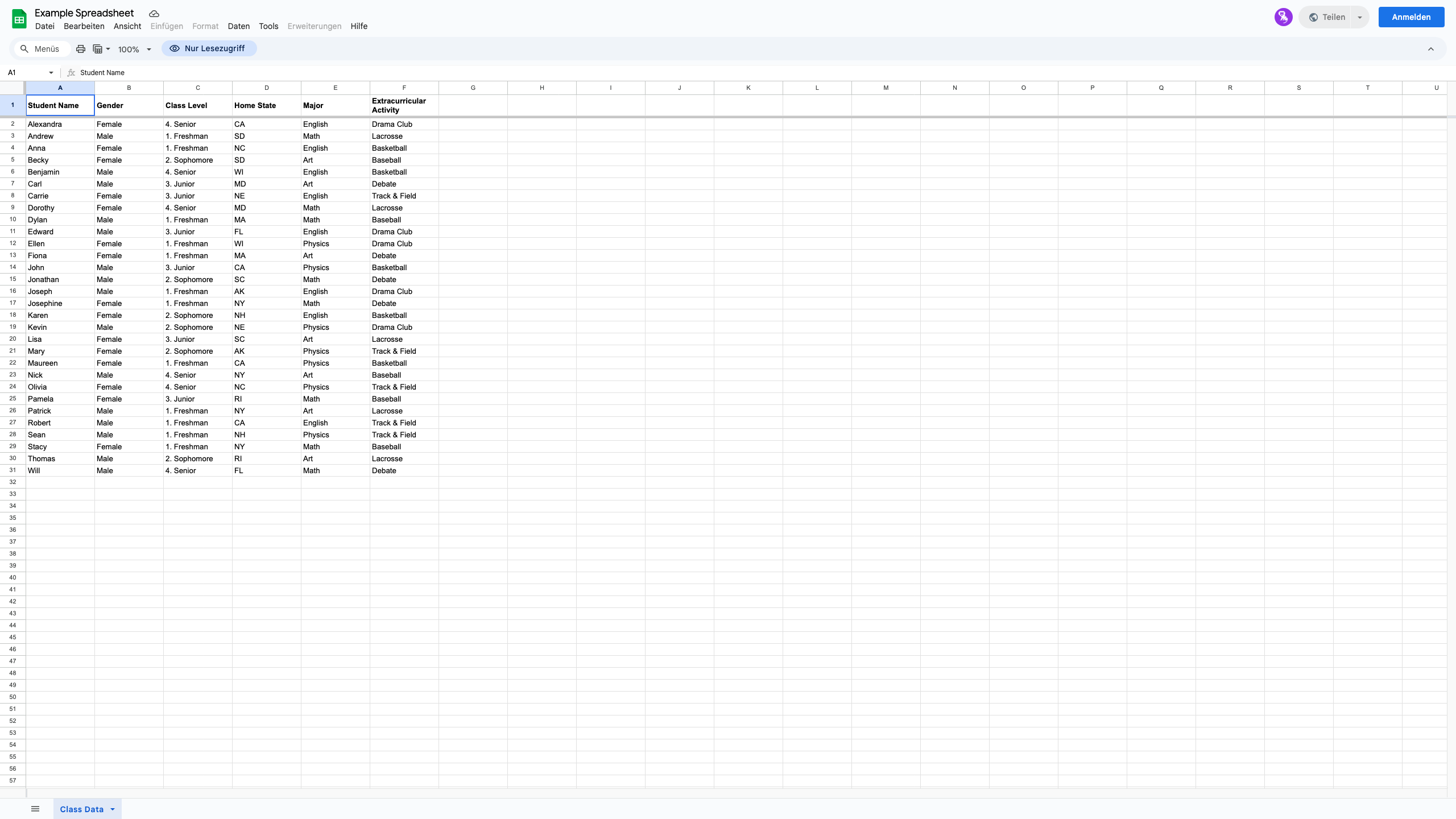
2560×1440
27" QHD (2560×1440)
Screenshot: 1440p
Zoom Comparison
vs
24" Full HD (1920×1080)
Screenshot: 1080p
100%
PPI: 92
Scaling: Normal
27" QHD (2560×1440)
Screenshot: 1440p
100%
PPI: 109
Scaling: Normal
What this shows:
- Each side shows the actual screenshot at that resolution (pixel-based PNG)
- At higher zoom you see real pixel detail: lower-res screenshots pixelate, higher-res stay sharper
- Same content type; different resolutions show how much fits and how sharp it renders
24" Full HD (1920×1080)
NATIVE1,920 × 1,080
EFFECTIVE1,920 × 1,080
ScalingNormal
PPI92
Screenshot1080p
27" QHD (2560×1440)
NATIVE2,560 × 1,440
EFFECTIVE2,560 × 1,440
ScalingNormal
PPI109
Screenshot1440p
Learn more
Read our guide on display technologies, resolution, and scaling.
View guide articles →